· TanStack Router · 5 min read
Breadcrumbs in TanStack Router: A Complete Guide
Learn how to implement breadcrumbs in TanStack Router, from static data to dynamic route parameters and localization.
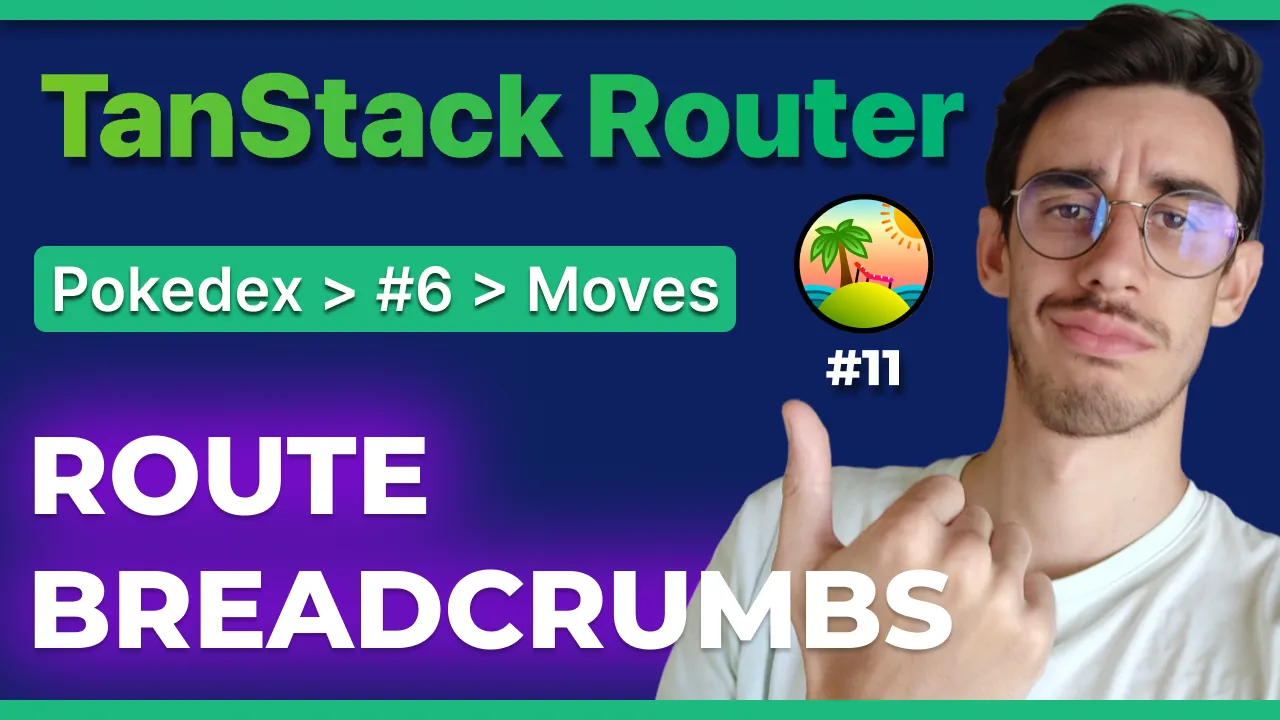
Breadcrumbs are those helpful links at the top of a page that inform users where they are while navigating your website. They are essential for good UX, especially in deep hierarchies.
Let’s see how you can implement them in TanStack Router, starting from a simple static example and moving to more complex dynamic scenarios (if you’re asking, yes, on TanStack Start works exactly the same way!).
Static Breadcrumbs
Let’s begin with the easiest example: a static label for your homepage.
In TanStack Router, you can attach static data to your routes. This is done by extending the StaticDataRouteOption interface. By default, this interface is empty, but you can add custom properties to it, such as a breadcrumb.
type BreadcrumbValue = string | string[] | ((match: AnyRouteMatch) => string | string[]);

declare module '@tanstack/react-router' {
  interface Register {
    router: typeof router;
  }
  interface StaticDataRouteOption {
    breadcrumb?: BreadcrumbValue;
  }
}
Once you’ve extended the interface, TypeScript will expect this property on your routes. You can then define a simple string for your home route:
import { createFileRoute } from '@tanstack/react-router';

export const Route = createFileRoute('/')({
  staticData: { breadcrumb: 'Home' },
  component: () => <div>Hello /!</div>,
});

Discover all 34 tutorials I've created on Router and other TanStack libraries for web developers
Browse TutorialsThe Breadcrumb Component
Now that we have the data, how do we render it? We need a component that reads these values.
The key to this is the useMatches hook provided by TanStack Router. This hook returns an array of all the routes that are currently matching.
import { useMatches } from "@tanstack/react-router";

...

const matches = useMatches();
For example, if you are on a page like /pokemon/6/notes, the matches array will contain the root route, the /pokemon route, the /pokemon/6 route, and finally the /pokemon/6/notes route.
We can iterate over this array and check if each match has staticData defined and if it contains our breadcrumb property.
This component simply parses the matches, flattens the items, and renders a list of links. It’s a straightforward implementation that you can place once in the root of your application, and it will automatically render on every page.
The full component might be something like this:
import {
  Breadcrumb,
  BreadcrumbItem,
  BreadcrumbLink,
  BreadcrumbList,
  BreadcrumbPage,
  BreadcrumbSeparator,
} from '@/components/ui/breadcrumb'; // This is coming straight from shadcn/ui
import { AnyRouteMatch, Link, useMatches } from '@tanstack/react-router';
import { Fragment } from 'react';

export type BreadcrumbValue = string | string[] | ((match: AnyRouteMatch) => string | string[]);

type ResolvedBreadcrumbItem = {
  path: string;
  label: string;
};

export function RouterBreadcrumb() {
  const matches = useMatches();

  const breadcrumbs: ResolvedBreadcrumbItem[] = matches.flatMap((match) => {
    const staticData = match.staticData;
    if (!staticData?.breadcrumb) return [];

    const breadcrumbValue =
      typeof staticData.breadcrumb === 'function' ? staticData.breadcrumb(match) : staticData.breadcrumb;

    const items = Array.isArray(breadcrumbValue) ? breadcrumbValue : [breadcrumbValue];

    return items.map((item) => ({
      label: item,
      path: match.pathname,
    }));
  });

  if (breadcrumbs.length === 0) {
    return null;
  }

  return (
    <Breadcrumb>
      <BreadcrumbList>
        {breadcrumbs.map((crumb, index) => {
          const isLast = index === breadcrumbs.length - 1;

          return (
            <Fragment key={`${crumb.path}-${index}`}>
              <BreadcrumbItem>
                {isLast ? (
                  <BreadcrumbPage>{crumb.label}</BreadcrumbPage>
                ) : (
                  <BreadcrumbLink asChild>
                    <Link to={crumb.path}>{crumb.label}</Link>
                  </BreadcrumbLink>
                )}
              </BreadcrumbItem>
              {!isLast && <BreadcrumbSeparator />}
            </Fragment>
          );
        })}
      </BreadcrumbList>
    </Breadcrumb>
  );
}
Debugging with DevTools
But the easiest way to explain it is to just show it. If I go back to my Pokemon page, then on Charizard and on the Notes page, this is what DevTools looks like:
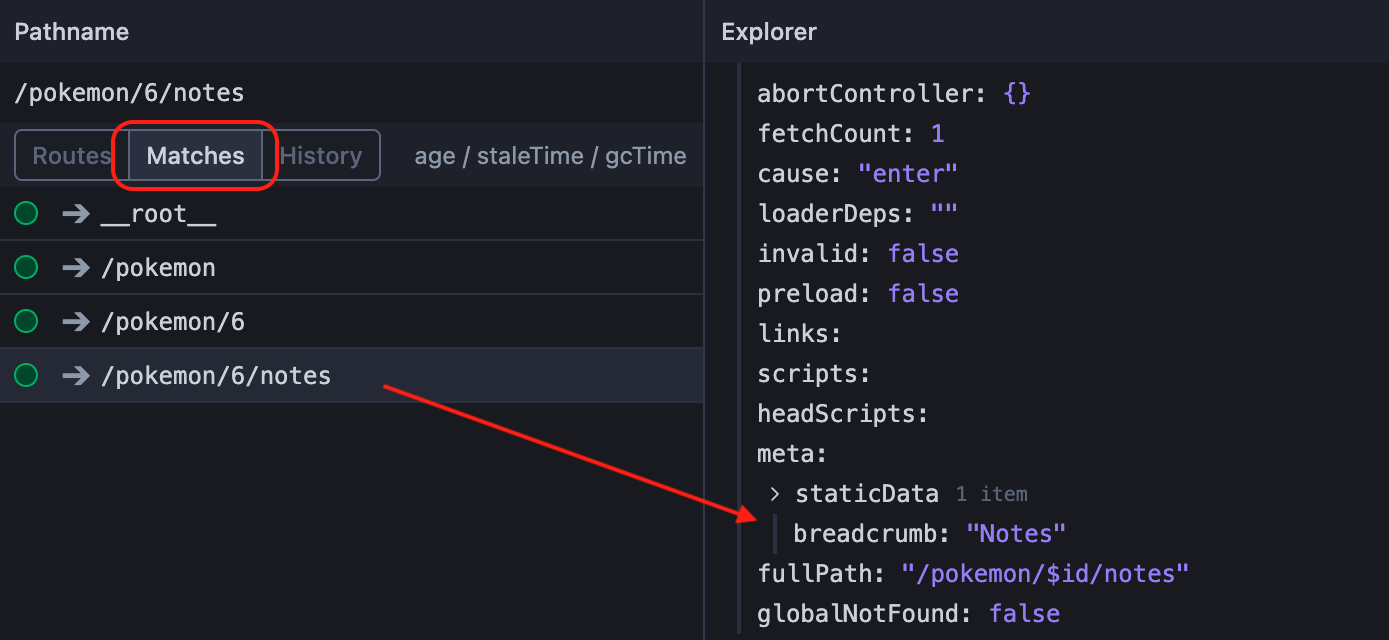
You can see the 4 entries that are also available in the matches array, inside the RouterBreadcrumb component.
In this case I selected the /pokemon/6/notes route, which has the following breadcrumb data:
staticData: {
  breadcrumb: 'Notes';
}
…and that’s exactly what you can confirm from the staticData section in DevTools, and what is rendered in the breadcrumb component.
Dynamic Breadcrumbs on path parameters
Static strings are great, but what if you want the breadcrumb to reflect dynamic data, like the name of a Pokémon or an ID?
If you noticed, we previously defined BreadcrumbValue to also be a function that receives a match object. This object gives you access to route parameters, search params, and basically everything about the current route.
// src/routes/pokemon/$id/route.tsx
import { createFileRoute } from '@tanstack/react-router';

export const Route = createFileRoute('/pokemon/$id')({
  staticData: {
    breadcrumb: (match) => `#${match.params.id}`,
  },
});
In this example, we’re accessing the params object to get the ID of the Pokémon.
Handling Query Parameters
You can also use query parameters to drive your breadcrumbs. For instance, if you have a multi-step form, you might want to show the current step in the breadcrumb.
export const Route = createFileRoute('/steps')({
  component: Steps,
  validateSearch: (search: Record<string, unknown>): StepsSearchParams => {
    // your validation logic here
    // I made a video about it: https://youtu.be/fE0CeXZF7CY
  },
  staticData: {
    breadcrumb: ({ search }: { search: StepsSearchParams }) => (search.step ? ['Steps', `${search.step}`] : 'Steps'),
  },
});
Here, we validate the search parameters to ensure step is a number. We can then conditionally return breadcrumb items based on the current step. If the step is undefined or zero, we might show a generic “Steps” label. If we are on step 1, 2, or 3, we can append the specific step number to the breadcrumbs combining the array syntax.
Localization and Advanced Patterns
Since the breadcrumb can be any value you define, you can easily integrate localization. Instead of returning a hardcoded string, you can return a translation key and use your translation library (like i18next) to render the localized label in your component.
You can also define your breadcrumb data as an object containing both a label and a custom path, giving you full control over where each breadcrumb link points. With that you can override the default behavior of linking to the current route’s path.
Conclusion
Implementing breadcrumbs in TanStack Router is flexible and powerful as the library gives you the primitives and you can build literally anything on top of it. Whether you need simple static labels or dynamic, data-driven navigation, the combination of staticData and useMatches provides everything you need.
I recently implemented this pattern in a production project, and it’s been working great. I hope this guide helps you add better navigation to your TanStack Router applications!
Discover all 34 tutorials I've created on Router and other TanStack libraries for web developers
Browse Tutorials
Hello! My name is Leonardo and as you might have noticed, I like to talk about Web Development and Open Source!
I use GitHub every day and my favourite editor is Visual Studio Code... this might influence a little bit my content! :D
If you like what I do, you should have a look at my YouTube Channel!
Let's get in touch, you can find me on the Contact Me page!